Build a world of your own
A practical, illustrated guide to Aclone's world editor. Start with a small village, add something players can interact with, then turn it into an economy, an arena, or a place to explore. You do not need to write code for most of this.
The screenshots show the actual 0.78.0 editor in a separate demonstration world, Willowbank Workshop. Buttons and values are real; the example is not the public Puddlewick. Some editor panels are taller than the screen: scroll inside the panel to reach their remaining fields and Save button. Select a screenshot to inspect it at full size on the website.
For exact limits and specialist options, keep the creator reference and Lua reference nearby. For running the server itself, see Hosting; creating a world on an existing host does not require installing a server.
1. Create your practice world
- From the galaxy directory, choose Create a world. If you are planetside, use the world menu's return-to-space option first.
- Enter Willowbank Workshop as the world name.
- Choose Relaxed owner economy. This keeps a village to experiment with, disables hunger and thirst, and allows qualified owners to operate their own businesses. Paid jobs are disabled in this preset.
- Choose Create world. After landing, click Editor / F10. On a phone, open Menu → World editor.
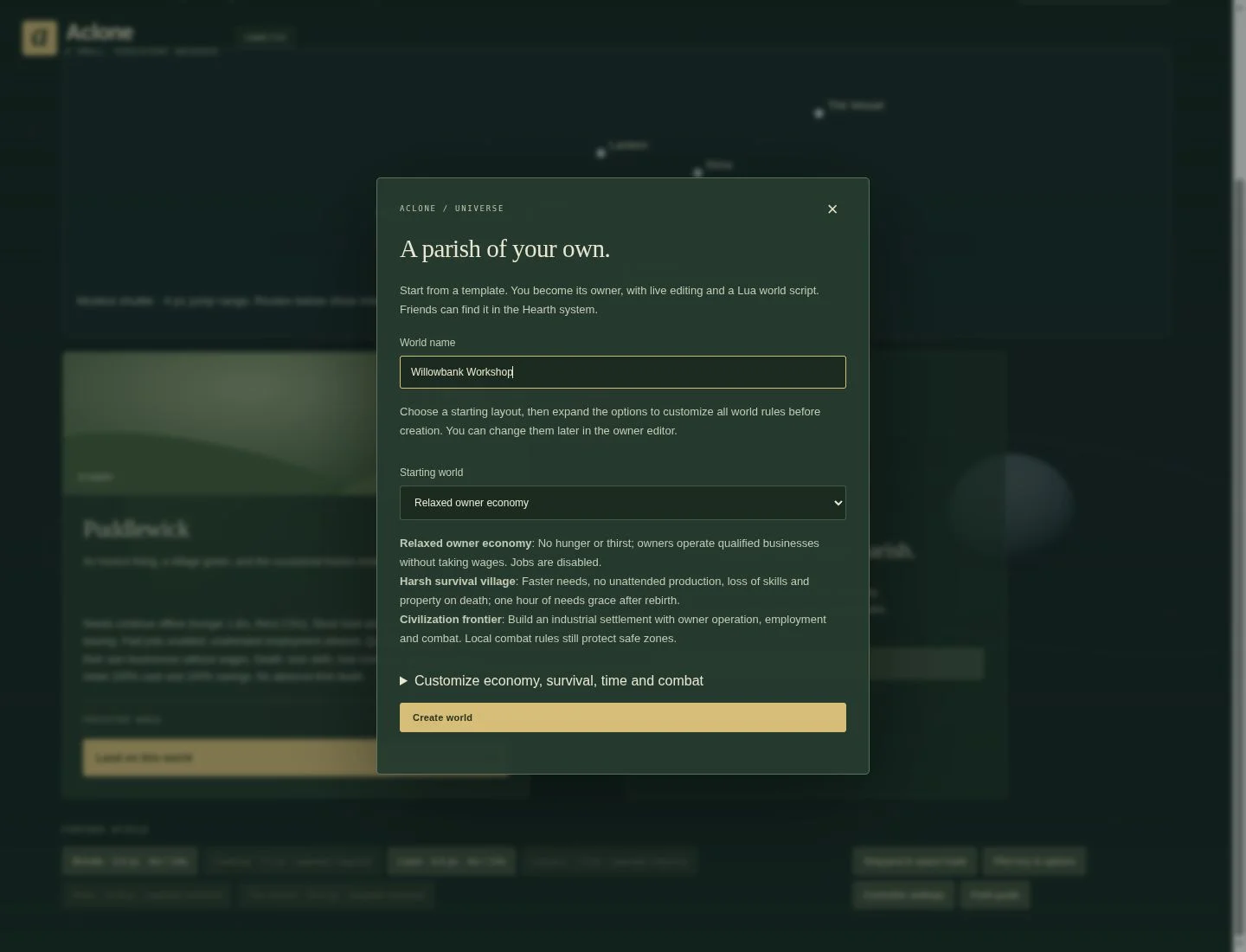
Choose a different preset when its rules suit your idea:
- Living economy village: trading, employment and survival.
- Harsh survival village: stronger survival pressure and harsher consequences.
- Civilization frontier: a settlement with employment, owner operation and combat.
- Team deathmatch arena, Capture the flag arena, or Capture point arena: a sporting starting point with needs disabled.
- Vehicle playground: vehicle experiments without building an economy first.
- Blank creator canvas: a quieter starting layout. It removes village businesses except the spaceport; it does not remove the terrain or every activity landmark.
To override a preset before creation, expand Customize economy, survival, time and combat, tick Use these custom rules, and change the fields. Later, use Rules. A host allows up to eight worlds per owner and 100 worlds in total.
Edits are live. A Save or Apply action changes this world for its visitors; there is no separate Publish button. Test here before changing a populated world. Export a design before major changes. The world creator has editing authority; ordinary visitors do not gain it by entering the world.
2. Find the right tool
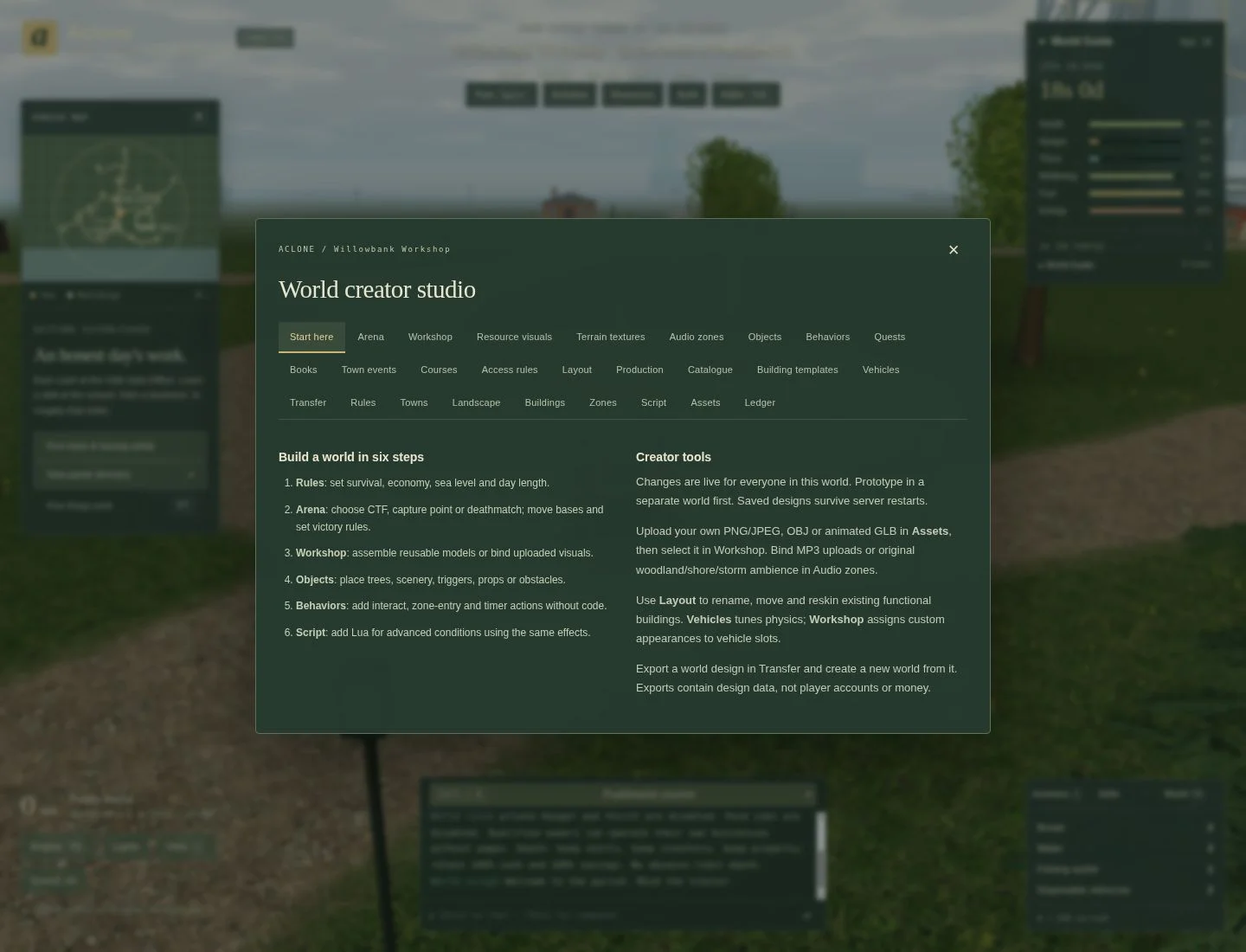
The editor has several kinds of tools. Their roles are different:
- Rules, Towns, Arena, Courses and Zones define how play works.
- Landscape changes ground, paths and barriers. Layout moves existing buildings and controls generated scenery and weather.
- Workshop makes reusable visual models; Objects places instances of them. Assets, Terrain textures, Resource visuals and Audio zones add media.
- Buildings places functional businesses or opens caretaker administration. Production, Catalogue and Building templates define their economy.
- Behaviors, Quests, Books, Town events and Access rules add interactions and progression. Script adds Lua when the forms are not enough.
- Vehicles changes vehicle handling. Transfer exports/imports designs. Ledger helps inspect money movements.
A house-shaped object is scenery until you give it behavior. It does not become a home or shop merely because it looks like one. Likewise, changing a building's visual model does not change its recipe or prices.
3. Choose rules players can understand
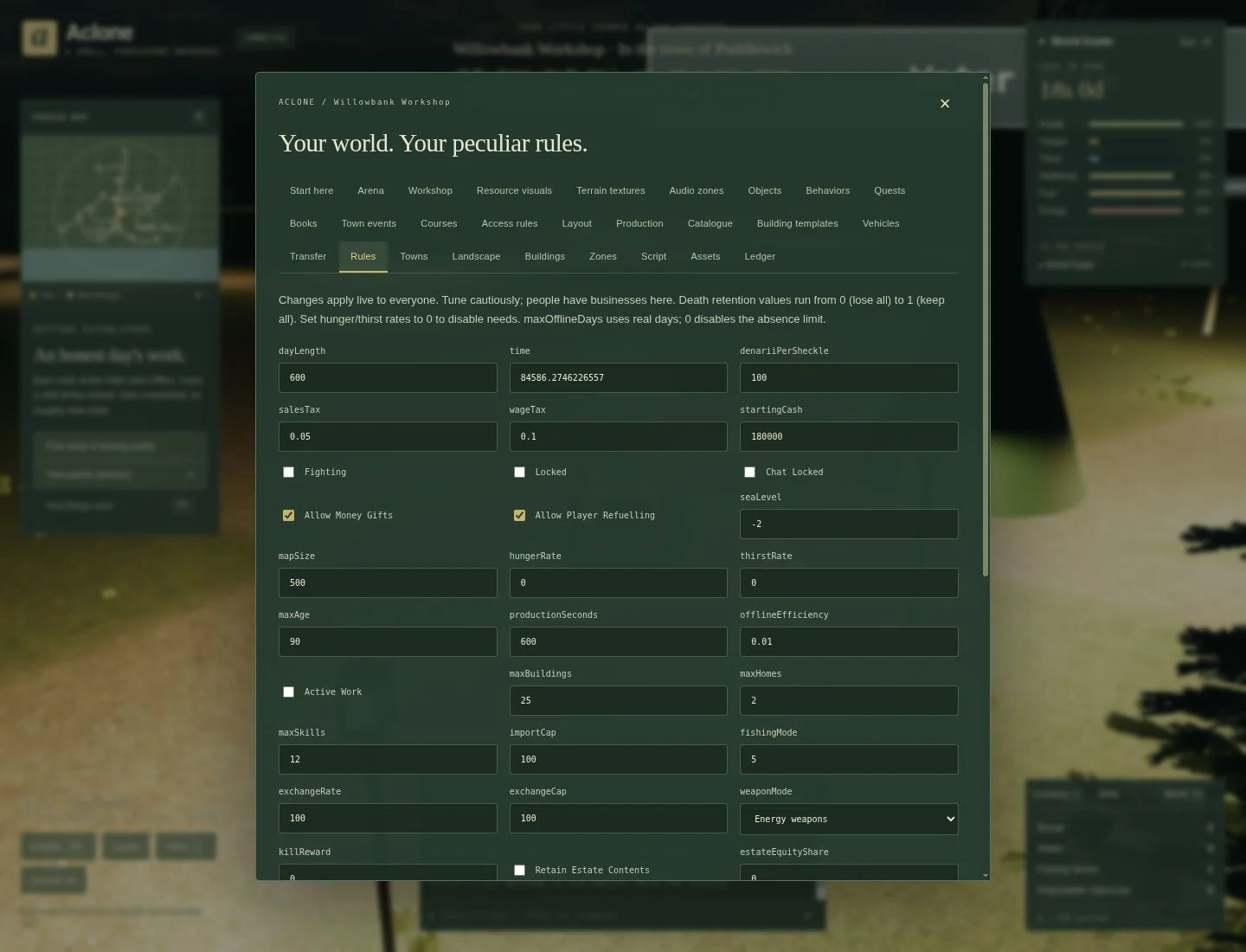
Open Rules. Change only a few settings at a time, then use its save button.
Boats and death is a dedicated group at the top. Tick Lose all owned boats
on death for Puddlewick-style loss of boats, cargo, provisions and tank fuel,
including stored boats. Untick it to allow recovering an offshore boat after death.
In recovery worlds, choose the cargo lifetime in game days (five by default;
zero means no spoilage) and whether tank fuel survives. For example, untick boat
loss, enter 5, and tick fuel retention to give captains five game days to retrieve
their cargo while keeping their vessel and fuel. These rules are independent of
personal inventory loss; running out of fuel still permits recovery either way.
For a first creation, leave most preset values alone.
- Map Size is the square world's side length in metres, from 500 to 20,000. Larger worlds have generated countryside beyond the village. This is a finite island world, not an infinite Minecraft-style map.
- Hunger Rate and Thirst Rate set survival pressure; zero disables the corresponding need. Needs and health can continue changing while players are offline.
- Max Offline Days is a separate absence limit measured in real days; zero disables that limit.
- Death switches independently control loss of skills, inventory, jobs and
property. Cash and bank retention use fractions:
1keeps everything,0keeps nothing. Ordinary death does not erase loans. - Employment rules determine whether workers must renew shifts, whether jobs count while offline, and whether qualified owners may operate without wages. Make those rules clear to players before asking them to run a business.
- Fighting, weapon settings and safe zones determine where combat is possible. An arena is not a reason to enable unwanted combat throughout an economy town.
Read units carefully. Many ordinary shop/editor price fields are in denarii;
raw data and some explicitly labelled course/rule fields use hundredths of a
denarius (100 means 1d). Distances are metres; editor rotations are degrees.
The decorative day/night clock is separate from the farming/calendar clock, whose
game day is 600 real seconds. Changing the sky clock does not speed up every game system.
4. Shape the landscape
Open Landscape. Its north-up preview shows the central 500 × 500 metre village,
even when your world is larger. Coordinates use X across the map and Z down the
map; (0,0) is the centre. For points beyond the preview, enter coordinates rather
than assuming the little map shows the whole world.
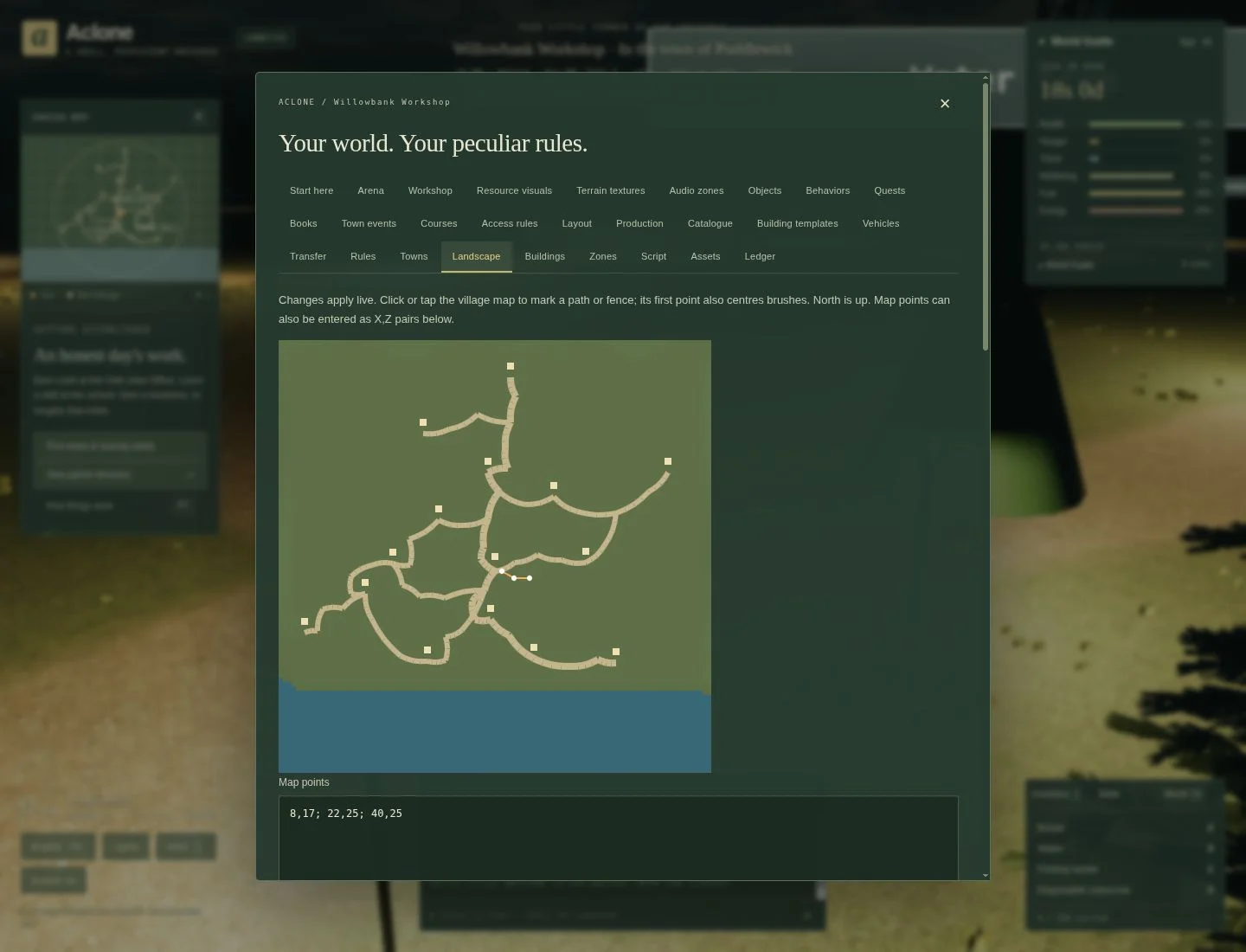
Example: a path to the water tree
- Click three points on clear ground near the centre. Our example uses approximately
8,17,22,25, and40,25. Check your own terrain and buildings first. - Scroll to Paths and barriers. Choose Curved gravel path, width
3. - Click Add path or barrier. The path is saved and appears in the world.
- Close the editor and drive along it. Check both ends are accessible.
Map points also accepts semicolon-separated X,Z pairs, for example
8,17; 22,25; 40,25. Finish editing the field before submitting. At least two
points are required for a line. Use Clear points before beginning another feature.
Use the same line tool for a Straight gravel path, Timber fence or Stone wall. Barriers are physical obstacles: leave gaps for entrances and test whether a tractor can turn through them. Paths appear on maps and receive streetlights.
Ground, vegetation and heightmaps
- Surface brush: paint a circular grass, gravel, soil or sand patch. This changes the ground surface; it does not create a harvestable resource deposit.
- Scatter Workshop models: choose a saved tree/rock model, radius, count and seed. Scatter avoids roads, buildings, water and overlaps, so a crowded area may contain fewer instances than requested. Tick Solid obstacles deliberately.
- Raise or lower ground: enter X, Z, radius and a signed height change. Start with a broad radius and a small height change. Negative values lower ground.
- Heightmap import: upload a PNG/JPEG; black maps to the low height and white to the high height. Preview heightmap, inspect the blue submerged areas, then Apply previewed heightmap. It replaces the base terrain but retains height brushes.
Heightmaps are sampled to 33 × 33 points across the entire map, so very large worlds have coarse spacing. Keep roads and building sites gentle: new construction rejects footprints with more than 2 m of ground-height variation. Editing terrain under an existing building can still leave bad access; inspect it afterwards.
Undo last landscape edit retains four recent path/surface/scatter/heightmap changes. Remove individual height brushes in Layout. Export is your recovery point for changes beyond this limited undo history.
5. Make and place an interactive object
This example makes a tree that supplies one carried Water per interaction, with a 30-second cooldown. It demonstrates three separate steps: model → object → behavior.
Make the model in Workshop
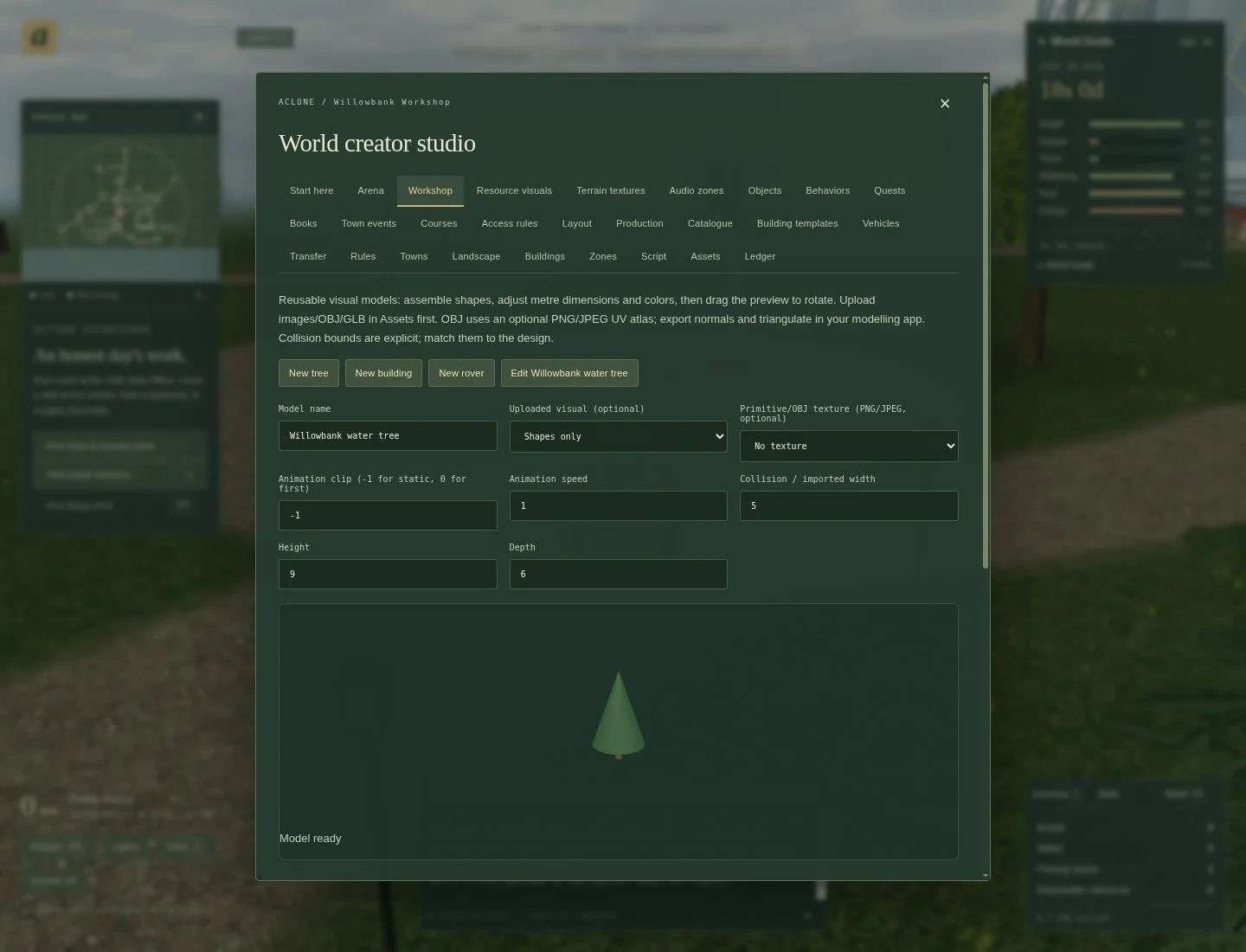
- Open Workshop, choose New tree, and name it Willowbank water tree.
- Keep the starter cylinder trunk and cone foliage for this first example.
- Expand a Part to edit its shape, colour, position, dimensions and rotation. Use Add shape for another box, cylinder, cone or sphere.
- Drag the preview to see another angle. Keep the collision/imported width, height and depth consistent with the visible object.
- Click Save model. Saving a model alone does not place it in the world.
Simple shapes with detailed textures are usually a better choice than dozens of tiny parts. The workshop allows 32 parts per model and 64 models per world.
Place an instance in Objects
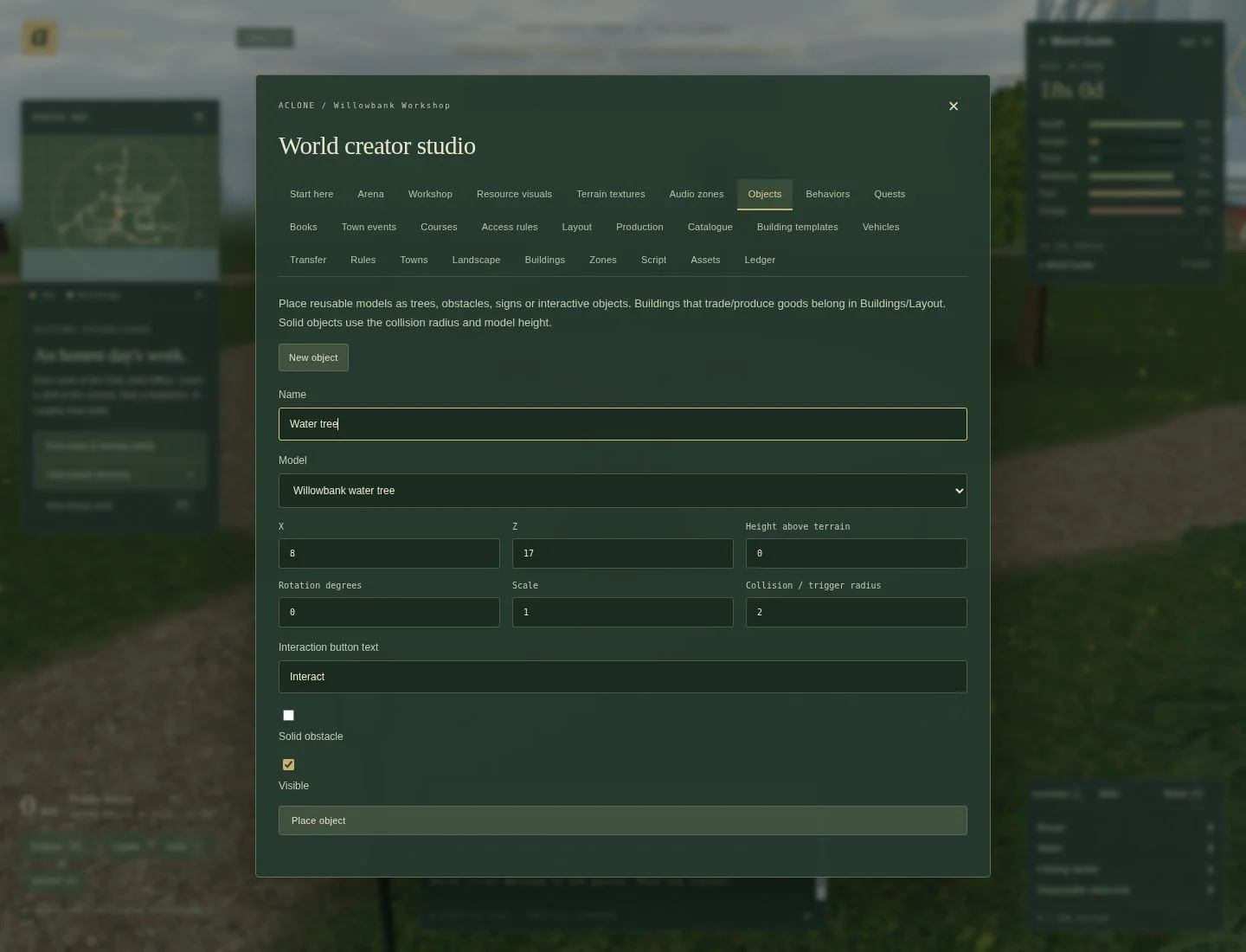
- Open Objects. Select Willowbank water tree as the model.
- Set Name to Water tree and choose clear ground near your arrival point.
The screenshot's example is X
8, Z17; your world may need another location. - Keep height above terrain
0, scale1, and a collision/trigger radius of2. - Set Interaction button text to Collect water. Leave Visible on. For this tutorial, leave Solid obstacle off so nobody gets trapped.
- Click Place object. Later select its name to update, duplicate or remove it.
Give it behavior
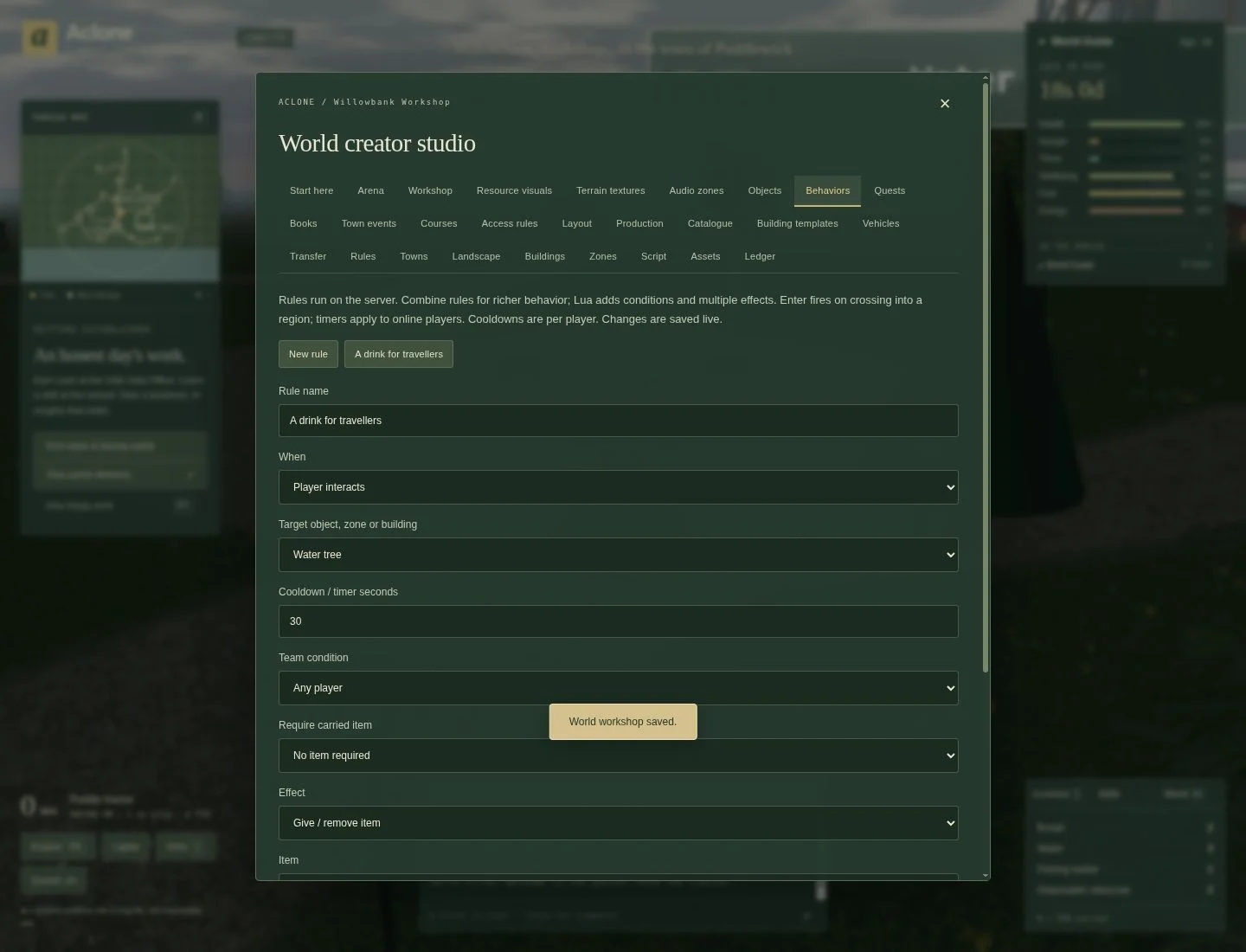
- Open Behaviors. Name the rule A drink for travellers.
- Set When to Player interacts and Target object, zone or building to Water tree. Do not leave an interaction rule's target blank.
- Set Cooldown / timer seconds to
30, Team condition to Any player, and leave Require carried item as No item required. - Choose Give / remove item, item Water, quantity
1. - Keep Rule enabled checked and click Save behavior.
- Close the editor, approach the tree, click it or use the nearby E/Ctrl interaction, and choose Collect water. Check that your inventory gains Water. Try again immediately: the cooldown prevents another grant.
This creates a supply, rather than buying Water from a business or drinking it immediately. In a survival economy, an unlimited free water source changes the market; use this example as a tutorial aid or deliberately balance its availability.
Other triggers are Player enters region, Repeat timer, Player arrives and Player finishes a task. Effects include messages, health/needs changes, teleportation, team score and object visibility. Multiple rules on one trigger can combine effects. Cooldowns are per player and reset on restart/design save; timer rules concern online outdoor players, not unlimited offline production.
6. Place buildings and make an economy
Buildings places functional buildings and lists Manage existing buildings as caretaker. Use that explicit caretaker path to adjust somebody else's shop; ordinary Building Admin controls still respect personal ownership.
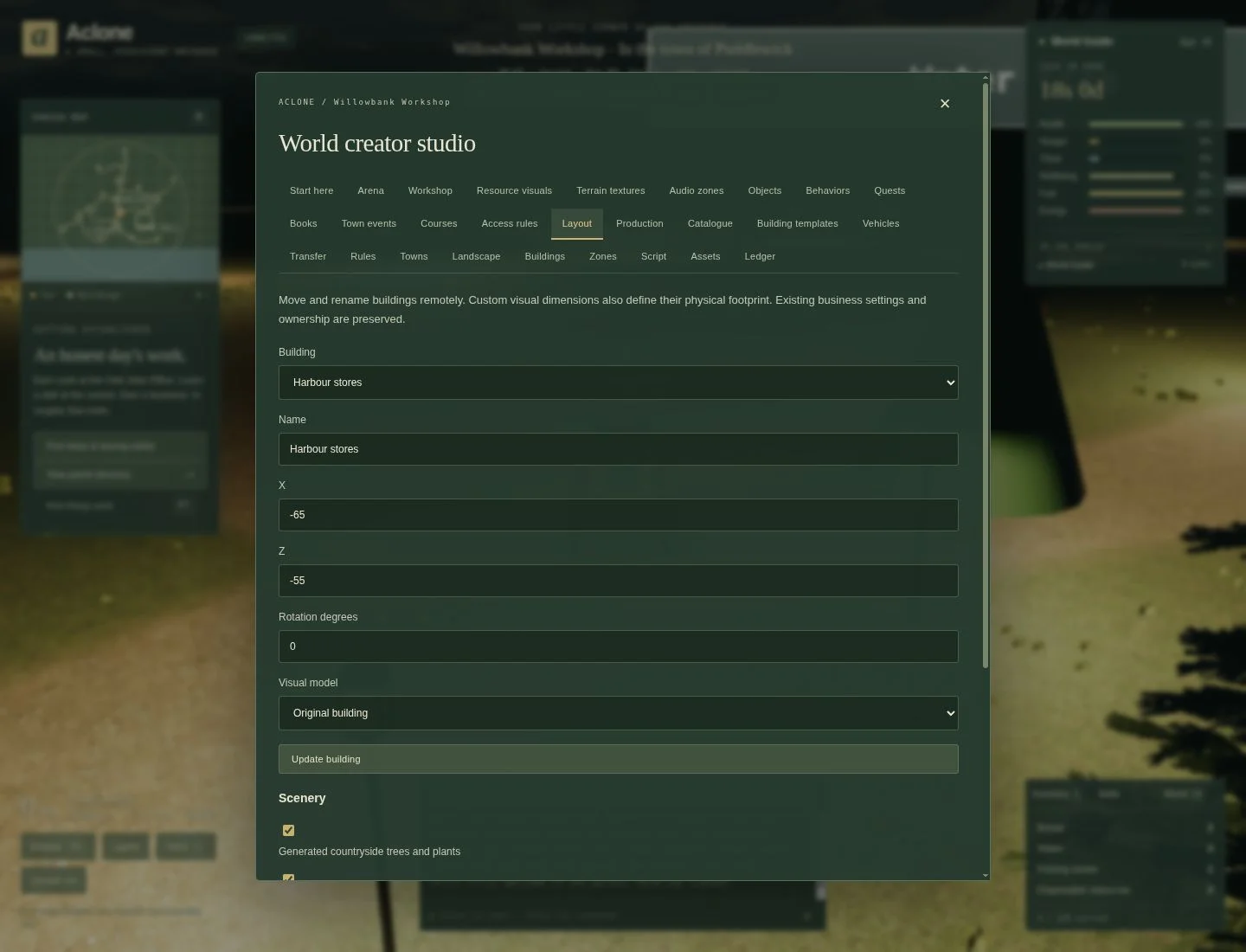
Layout selects an existing building, then changes its name, X/Z, rotation and visual model while retaining its business, owner and inventory. A custom visual's dimensions also define its footprint. Occupied homes and buildings with running tasks cannot be moved until they are clear.
Players constructing normally use Build: choose architecture, finish and a supported size, rotate the preview, review materials and cost, and place it on suitable ground. The building gallery previews the built-in designs. Larger premises need more space and materials; not every type has three size choices. Waterworks must be on a suitable shoreline.
Example: check the farm-to-mill-to-bakery chain
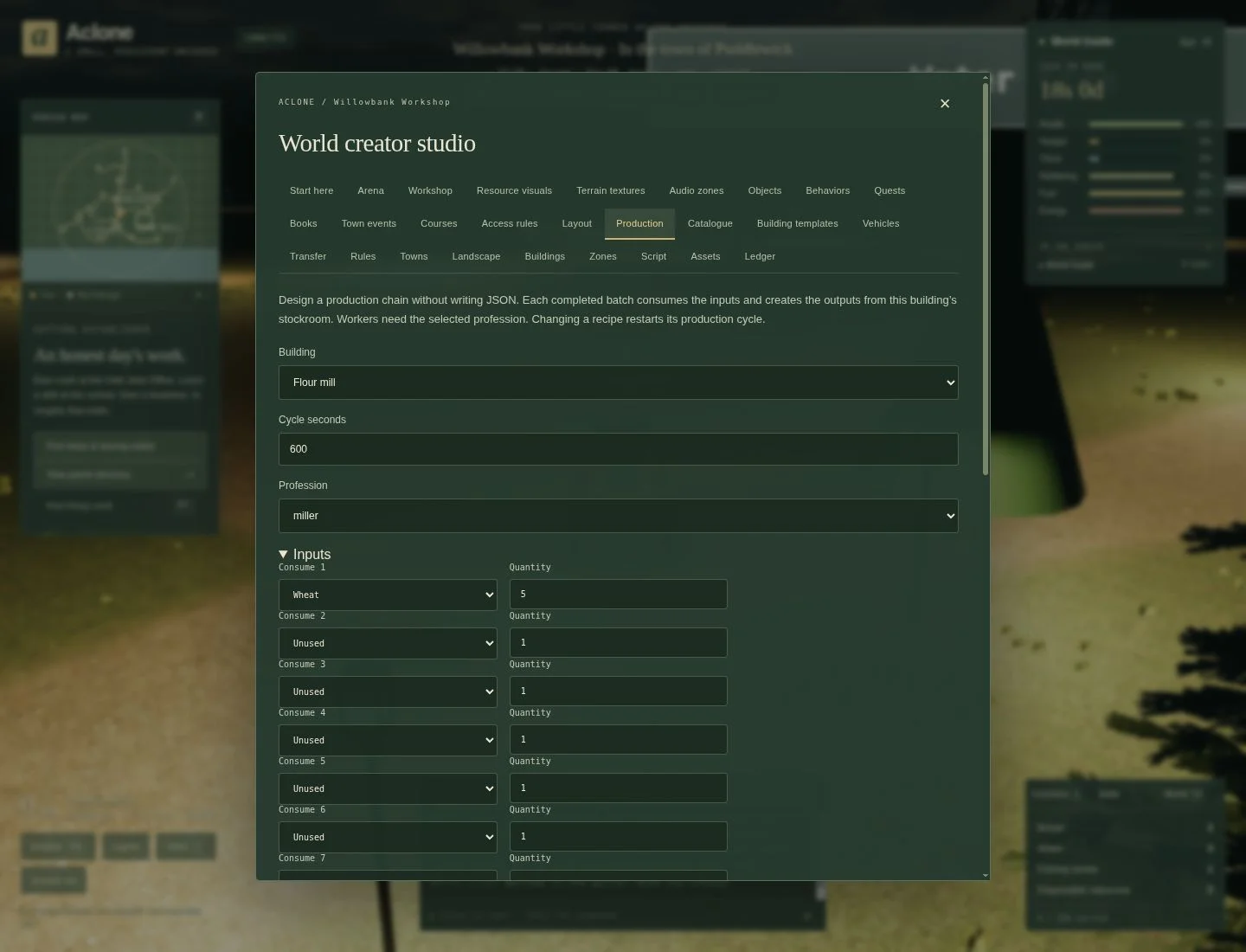
- Open Production, choose Flour mill, and inspect its recipe. A standard batch uses 5 Wheat to produce 3 Flour, with a 600-second interval and a miller.
- Expand the input/output lists and leave unused rows as Unused. Save only when you intend to change the recipe: saving restarts batch progress.
- Scroll to Production chain check. Compare input costs, output value, tax, wages and available suppliers. A positive estimate is necessary, not a promise that somebody will buy the output.
- Through Buildings → Manage existing buildings as caretaker, inspect the farm's selling price, mill's Wheat buying price, mill's Flour selling price, and bakery's Flour buying price. Leave a margin for a player hauling between them.
- Check the mill actually has Wheat, room for Flour and sufficient capital for wages and purchases. Repeat for the bakery and its downstream buyers.
- Test a real batch and a real sale before copying this chain across the world.
A building needs more than a recipe. It needs inputs, output capacity, appropriate staffing or permitted owner operation, working capital, and customers. Too few or too many active workers reduce efficiency relative to the ideal crew. Farms keep their crop plots instead of using this generic recipe editor; winter kills crops left unharvested. Do not use a summer-only crop as the sole year-round source of a necessity.
Custom goods and professions
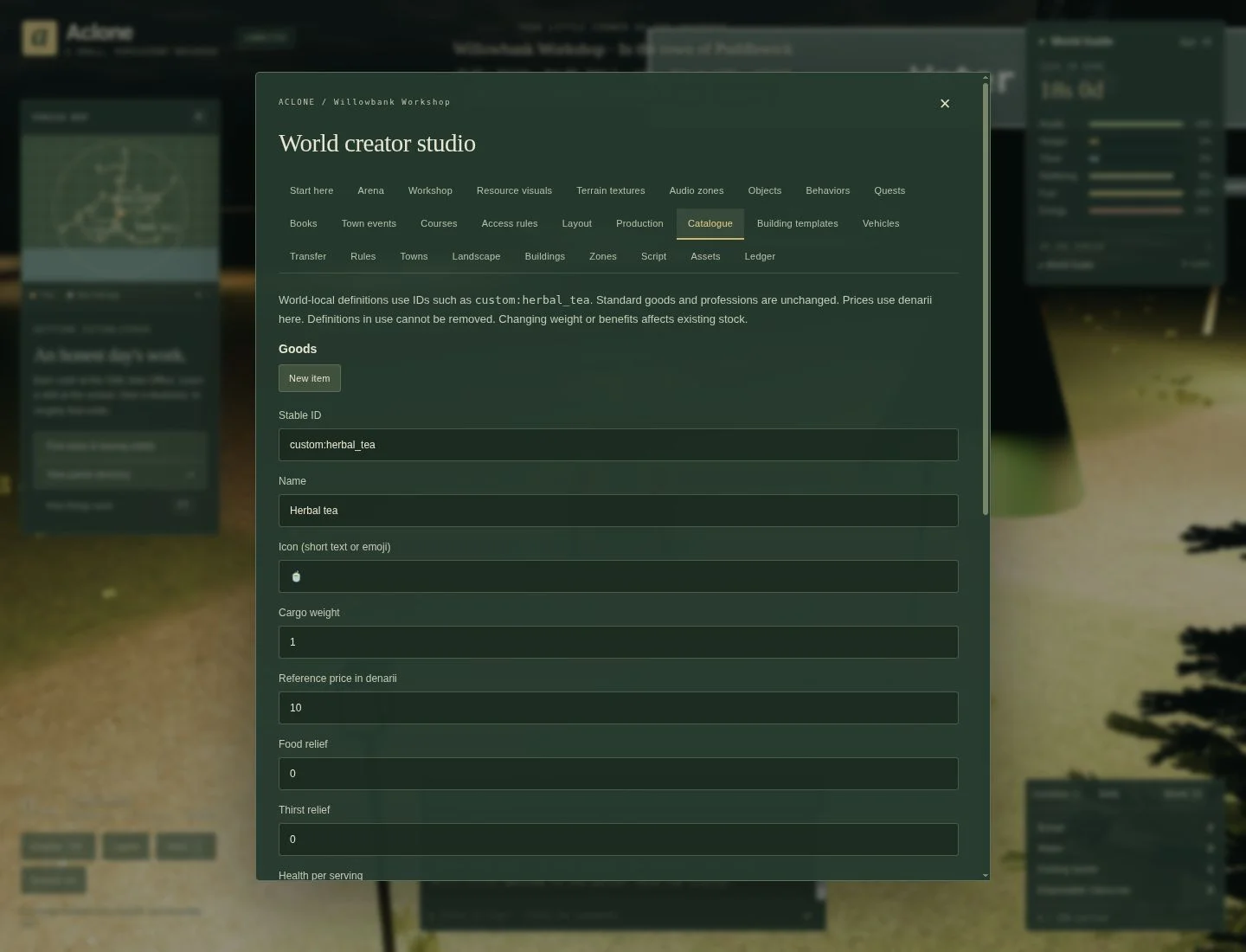
In Catalogue, try a custom item called Herbal tea with stable ID
custom:herbal_tea, cargo weight 1, reference price 10 denarii, and modest
thirst relief. Save item. A reference price does not stock a shop or set every
shop's quotes; wire it into recipes, shop prices, rewards or behavior effects.
Below the items, create a profession such as custom:tea_blender, choose tuition,
lesson seconds and any prerequisites. Schools can then teach it. Custom items and
professions stay within this world; built-in definitions are not overwritten.
Definitions that are still referenced cannot be deleted.
Reusable business templates
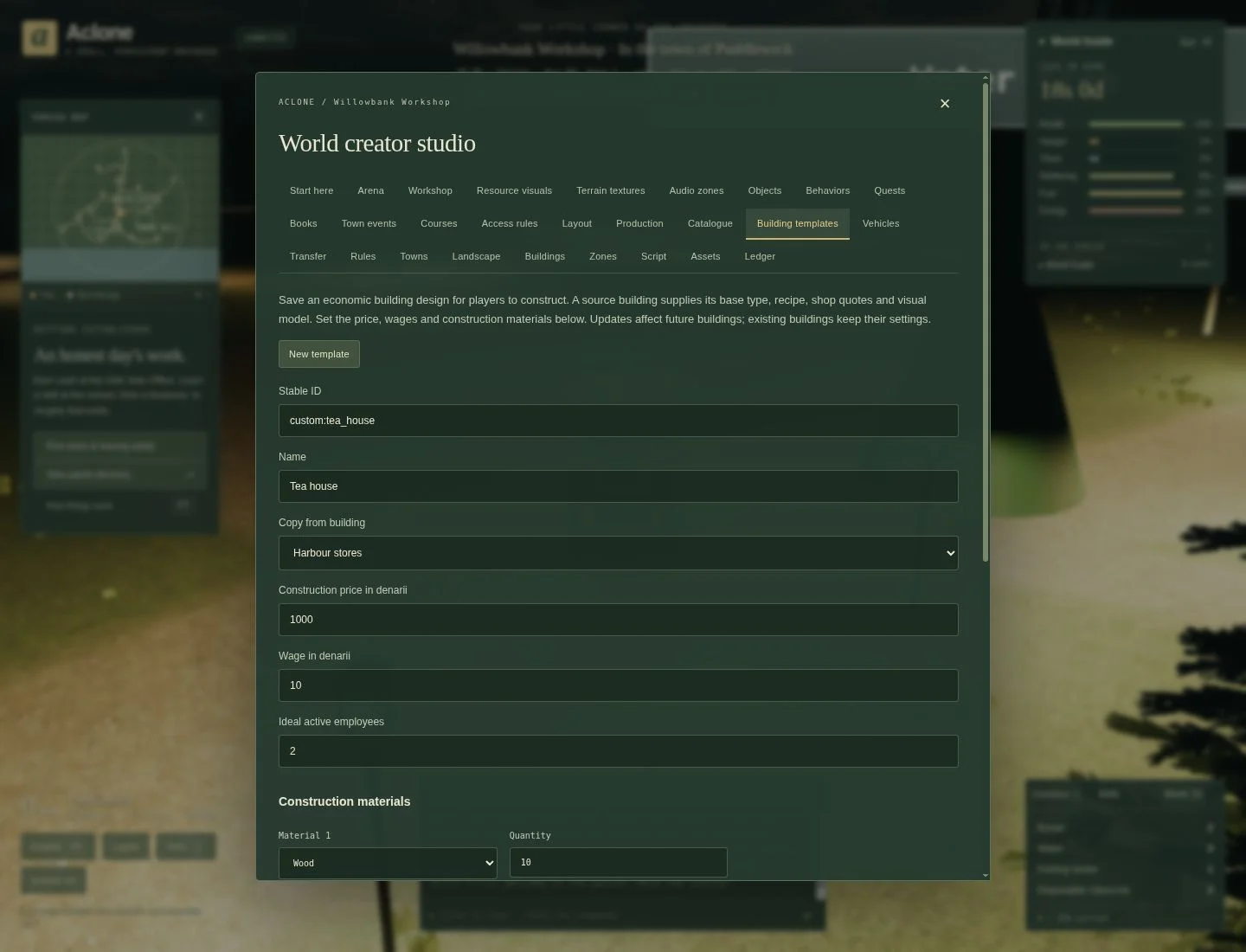
To make a buildable tea house:
- Configure a suitable source business's recipe, quotes and optional custom visual.
- Open Building templates, choose that source and a stable ID such as
custom:tea_house. Name it Tea house. - Set construction price, wage, ideal active employees and up to eight construction materials. Use plausible ingredients such as Wood, Gravel and Stone blocks.
- Save building template, then find the new option in the normal Build menu.
Template recipes, prices and material bills mainly affect future buildings. Existing businesses keep their economic settings; ideal crew size is resolved from the template and can affect existing template buildings too. Test changes on a fresh copy instead of assuming all existing buildings were upgraded.
7. Import artwork and build atmosphere
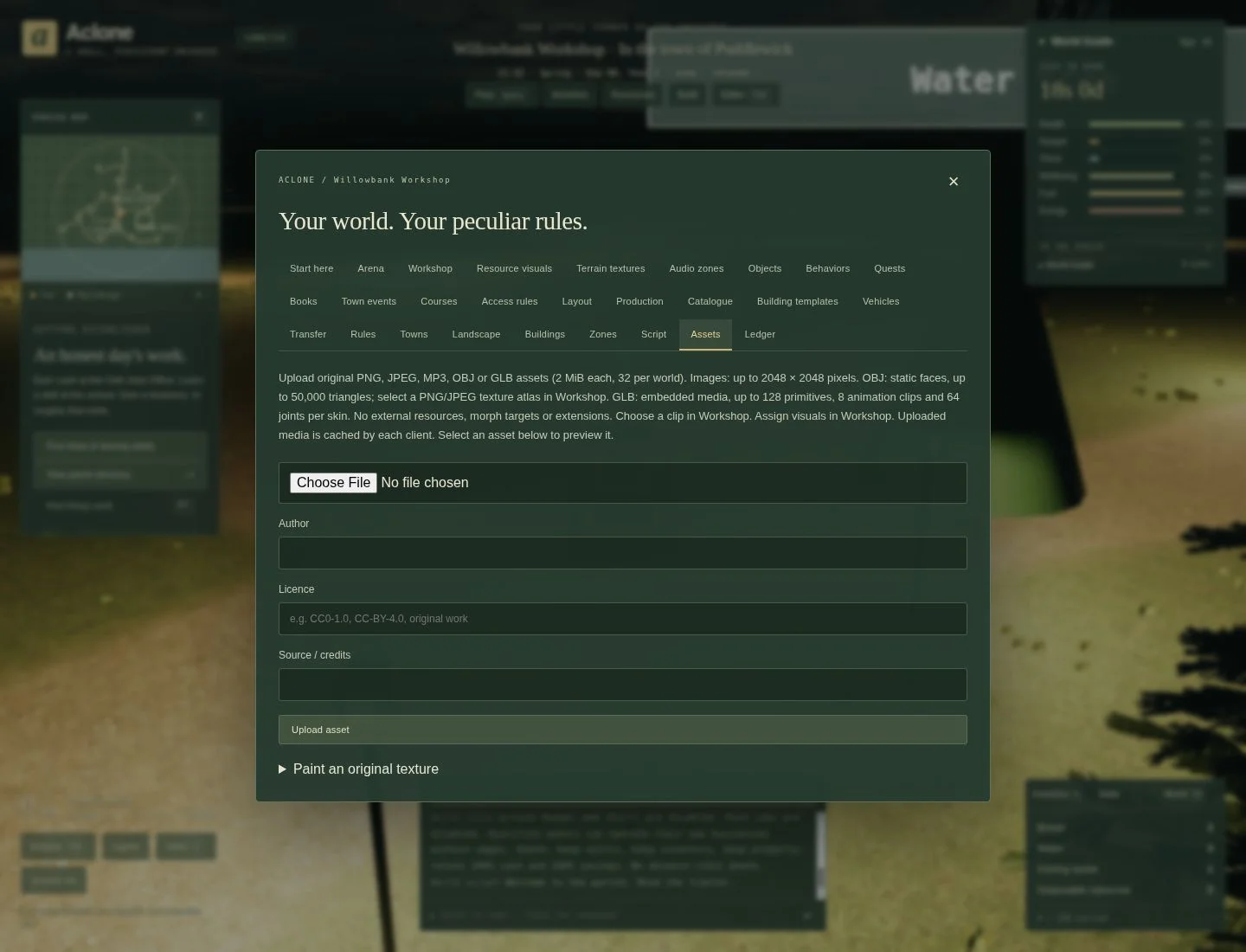
Use Assets → Upload asset for original or licensed PNG/JPEG, OBJ, GLB or MP3 files. Fill in author, licence and source credits. Uploading does not place or assign an asset; select it in the relevant editor afterwards.
- OBJ: export a triangulated static mesh with normals and UVs. Upload the OBJ
and one PNG/JPEG texture atlas separately. In Workshop choose the OBJ under
Uploaded visual, and the image under Primitive/OBJ texture.
External
.mtlfiles and remote textures are not fetched. - GLB: use a self-contained file with embedded textures. In Workshop choose an
animation clip (
0for the first,-1for static) and playback speed when needed. - Images: use as an upright panel, a primitive/OBJ texture, or a supported terrain texture. Paint an original texture provides an in-game alternative.
- Resource visuals: assign a saved model to a resource's appearance. This does not create a new deposit or change its quantity/yield.
- Terrain textures: assign an uploaded tile to a terrain surface. Test repeats at driving height; a photograph that looks good once may tile badly.
Keep uploads small: 2 MiB per file, 32 assets per world, images at most 2048 × 2048. OBJ has a 50,000-triangle limit; GLB has additional geometry/animation limits in the creator reference. Visitors download assigned assets automatically and may see placeholders while loading. Test on a phone as well as a powerful desktop.
Add sound and weather
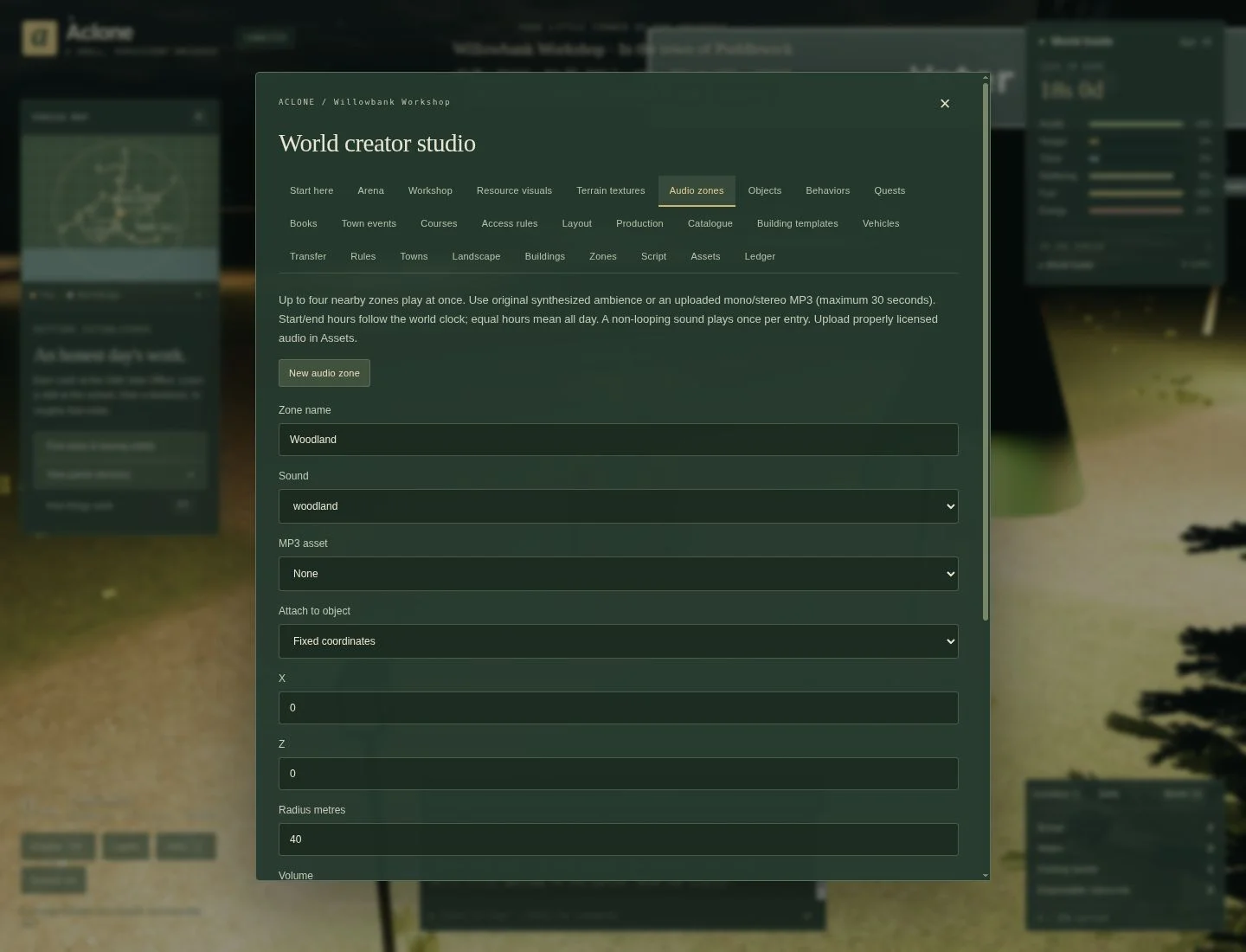
In Audio zones, name a zone Willowbank woods, choose woodland, position
it near your trees, use radius 40 and volume 0.35, and keep looping on. Save,
close the editor and enter/leave its radius with sound enabled.
You can instead bind an uploaded mono/stereo MP3 up to 30 seconds long, attach a sound to an object, or restrict it by clock hours and weather. Equal start/end hours mean all day; a non-looping clip plays once per entry. At most four nearby zones play together. A hidden object does not emit its attached sound.
In Layout → Scenery, choose natural weather or a fixed condition and toggle generated countryside vegetation and roads/streetlights. Weather also affects traction, snow and crops. Snow accumulates in layers; only sunny daylight melts it, and winter keeps a thin base until spring. Roads remain clear. See weather rules.
In Rules → Ocean and tides, set the tidal range in metres and wave strength. A zero tidal range holds the sea at its mean level; zero wave strength makes it flat. Tides follow the world's moon, while wind and storms build larger swells. New shoreline buildings are checked against both high and low water. Try a modest range first and test access to existing docks through a full tide cycle. See boating and ocean behaviour for details.
8. Teach players with quests, books and events
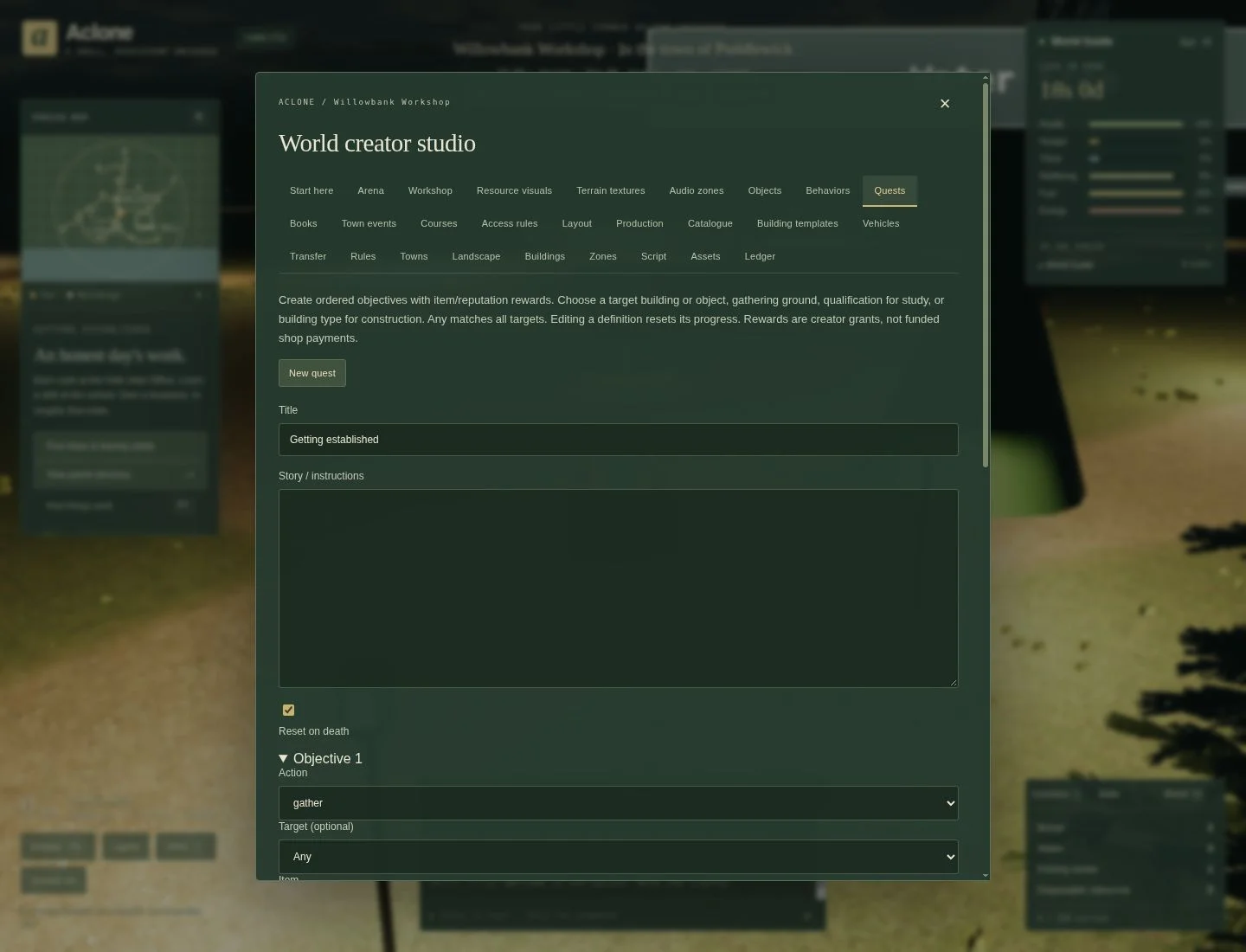
Example: visit the water tree
- In Quests, give the quest the title Welcome to Willowbank and instructions explaining where the Water tree stands.
- In Objective 1, choose action interact, target Water tree, quantity
1. Leave the item filter unrestricted and all other objectives unused. - Give a small reputation reward, and optionally one Bread. Choose whether death resets progress, then Save quest.
- As a player, open World / F9 → Quests, accept it, and only then interact with the tree. Confirm progress and claim the reward with room in your inventory.
Objectives are ordered; actions taken before acceptance do not count. Editing a quest resets its progress. Claims cannot be repeated, and item rewards are creator grants rather than purchases from a shop. More advanced tutorials can sequence buying, gathering, studying, taking a job and completing construction.
Books attaches up to eight pages of text to a carried item. Create a custom handbook item in Catalogue, bind pages in Books, then distribute it through a shop or reward. Players use Inventory → Read; reading does not consume the item. Do not bind your handbook to a common item unless every instance should offer that book.
Town events announces festivals or markets and can link an existing quest.
Choose a first day, duration and repeat interval; repeat 0 means once. Days count
from world creation. An announcement does not change shop prices or create prize
money; arrange those separately. Missed announcements are not replayed after downtime.
Access rules gates an action before it takes effect. For example, require a qualification before taking a particular job, and explain the restriction in plain language. Select the specific target so you do not accidentally restrict every shop. All configured conditions must pass, for humans and NPCs alike. Required carried items are checks, not automatically consumed entry fees.
9. Design arenas and driving courses
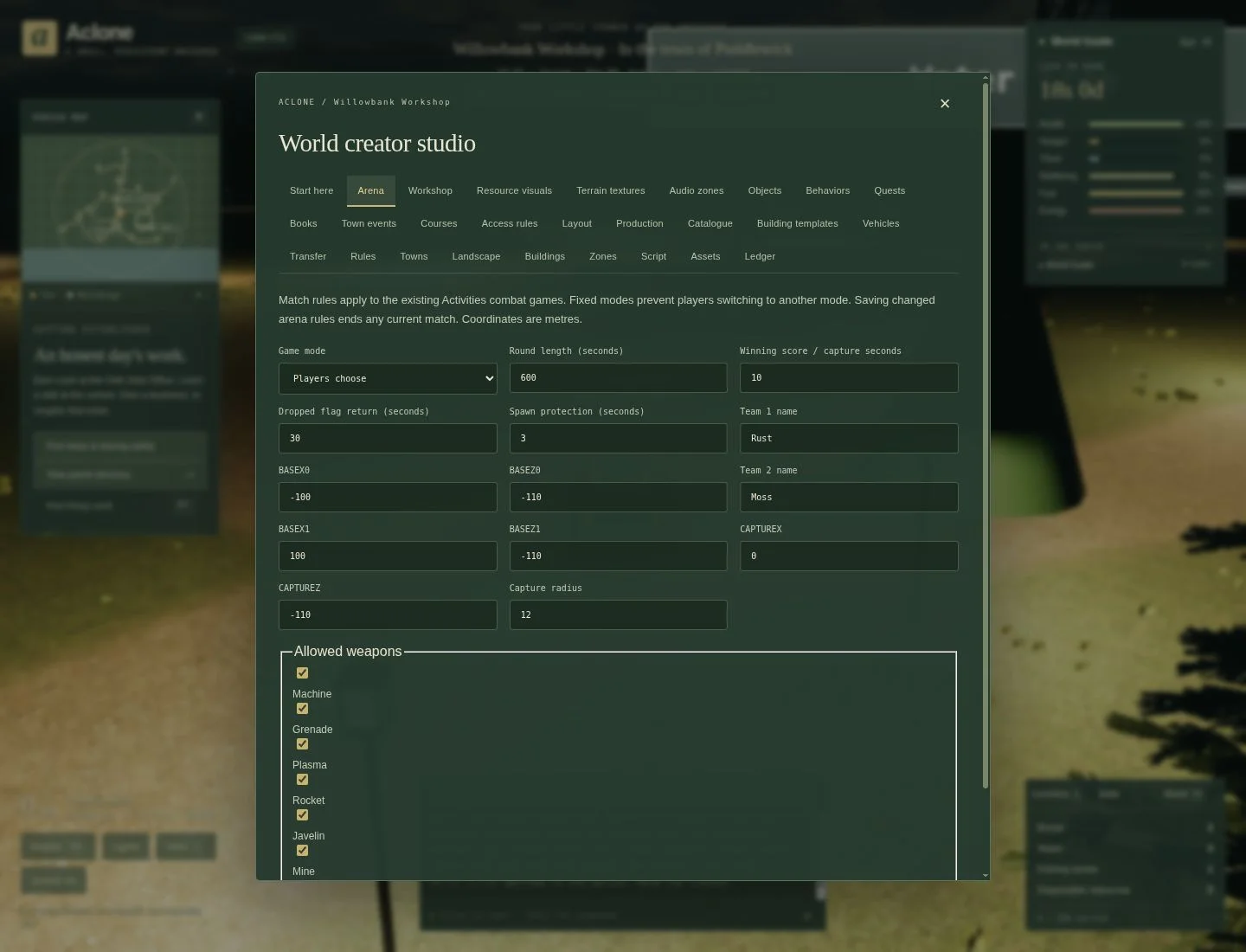
Capture-the-flag example
Use a separate Capture the flag arena world for this exercise.
- In Arena, select Capture the flag as Game mode. Give both teams clear names.
- Put their bases on reachable land at least 20 m apart. For a compact practice
arena, try X
-80, Z0and X80, Z0, after checking the sites. - Start with a 600-second round, winning score
3, a 30-second dropped-flag return and 5-second spawn protection. Select suitable allowed weapons. - Save the rules. A changed arena configuration ends the current match.
- Use Objects for cover and Zones for safe or no-construction areas. Do not put the entire fighting space inside a safe zone.
- Have two players join through Activities. Test both spawn points, capture routes, flag return and scoring—not only the owner's view.
Players choose leaves several activity modes available; a fixed game mode restricts joins to that mode. Marker zones alone do not invent a complete game: use Arena for match rules and Behaviors/Script for custom interactions.
A checkpoint driving course
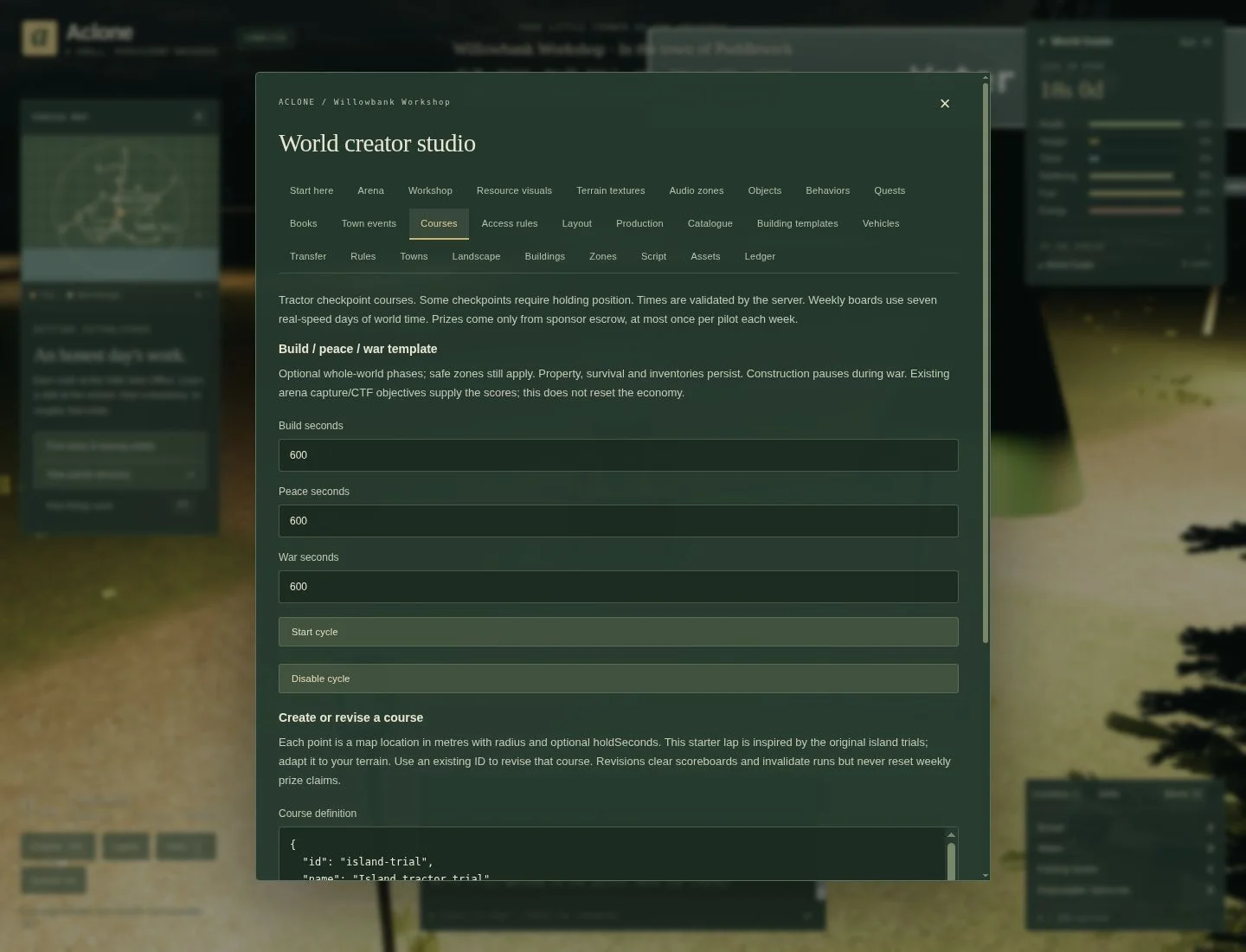
Open Courses and scroll to Create or revise a course. It provides editable
JSON, not a map-drawing tool. Start with the supplied example, change its ID and
name, and inspect each point's X/Z, radius and optional holdSeconds.
A course needs 2–32 checkpoints and a 10–3600-second time limit. Consecutive checkpoints must not overlap. Opening and closing times are seconds of world time; choose a window that is still in the future/current when players try it. Drive the route before offering a reward, then use Start course and its next-checkpoint waypoint. A five-second hold makes a useful precision-parking checkpoint.
Rewards use sponsor-funded escrow, not free money. Funding and unused escrow collection are in the course panel. Revising a course clears scoreboards and invalidates active runs; weekly reward claims are retained.
The optional Build / peace / war controls alternate construction and fighting phases. Construction pauses in war; combat is off in build/peace, and safe zones still apply. Property, inventories and survival persist between rounds. This is not an automatic economic reset.
10. Towns, vehicles and advanced scripting
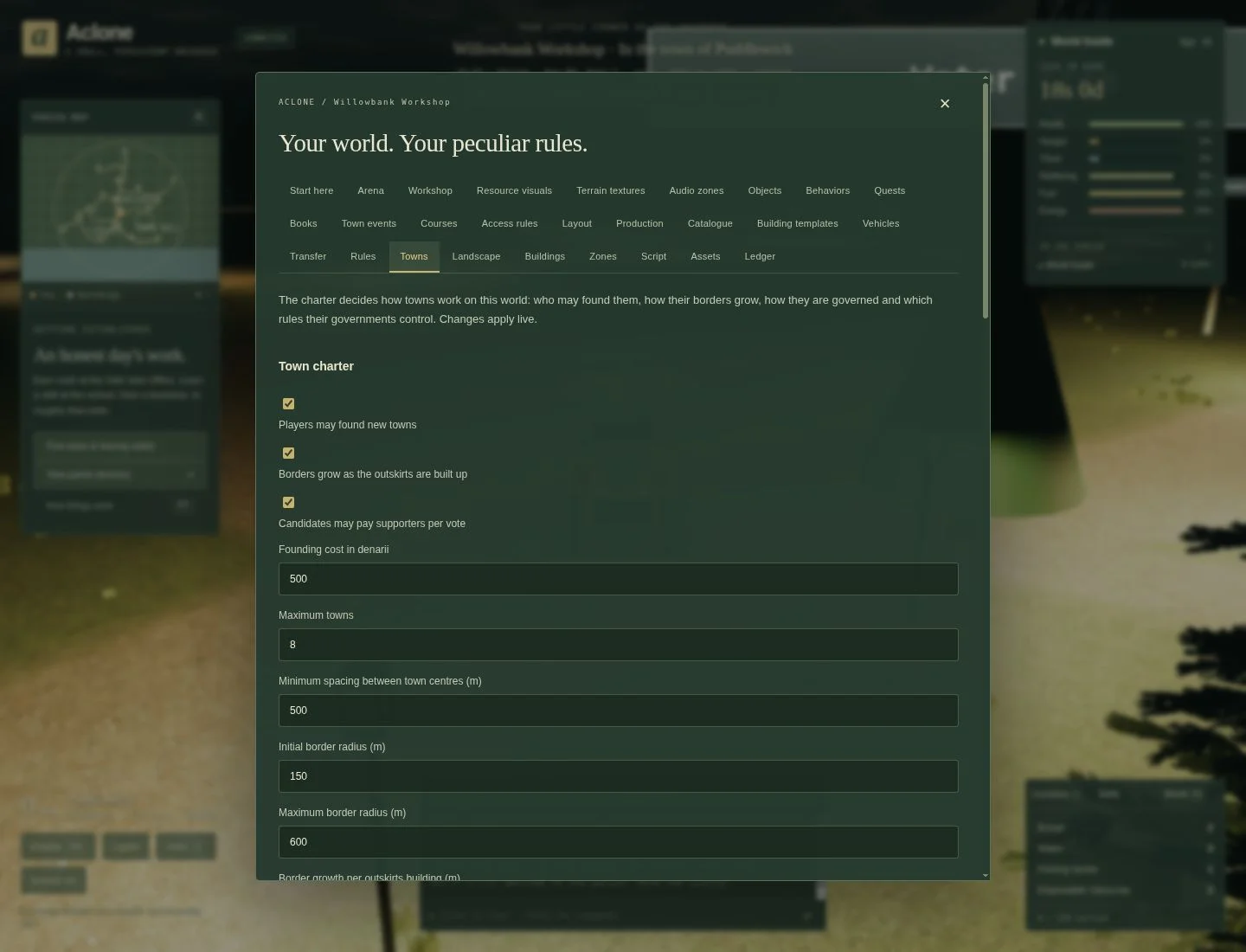
Towns edits the world charter: who may found a town, cost and required skill, town limits and spacing, border growth, permitted forms of government, zoning, tax caps, election timings and residency requirements. Start with one town and short travel distances. A charter sets the possibilities; it does not automatically produce prosperous towns or run elections on behalf of players.
Players govern through each town's plinth. The caretaker can also adjust town rules or appoint a mayor there. Decide whether construction outside borders is allowed, governed by the nearest town, or forbidden before inviting builders.
Vehicles configures all 34 slots independently for this world. Choose the movement mode, speed, steering, torque, weather traction, cargo hold, fuel tank/burn, purchase price and passenger limit. Custom slots 9–24 are available for original designs. Assign a model through Workshop → Use as a vehicle; a boat-shaped model needs Boat movement to function as a boat.
Expand Fishing, provisions and paid crew to give a boat nets, stores or up to two paid deckhands. Set net capacity and towing fuel use separately. Death and recovery follows world rules or overrides them for this vessel, including offshore recovery, cargo spoilage days and retained fuel.
The appearance can combine a body model with up to sixteen positioned Workshop components, including rotating wheels/propellers and steering parts. Upload GLB/OBJ models and images in Assets, then create their named Workshop models first. Cockpit and instruments sets the eye position, dashboard artwork and live readouts. Tyres and tracks controls each axle's spacing and tyre width. Lighting configures the main beam and up to twelve steady/blinking lamp lenses with switches. Extra lenses share the game's lighting budget rather than each adding a shadow-casting light.
Test handling, cargo, fuel, cockpit position and entrances before inviting players. The server rejects invalid combinations and edits that would discard loaded fuel/cargo or strand occupants. See the vehicle reference for units, limits and portable asset bundles.
A small Lua example
Open Script when no-code behaviors no longer express your idea. This example counts visits and posts a welcome on arrival:
on("PlayerLogin", function(e)
  setvar("visits", getvar("visits") + 1)
  announce("Welcome to Willowbank. Visit the water tree beside the path.")
end)
Choose Validate & reload Lua, then reconnect a test visitor to trigger it. Reloading the script alone does not simulate a login. Avoid constant timer announcements: players should be able to talk without the world interrupting them.
Lua runs on the server with strict limits and no filesystem/network access.
Persist numbers with getvar/setvar; ordinary Lua globals do not persist between
events. Use Access rules for checks that must stop a trade/build/job before
money or inventory changes. The scripting guide lists supported
events, functions, cooldown examples and failure behavior; arbitrary Lua libraries
or historical A Tractor commands are not automatically available.
11. Test, export and share
Before inviting people, play as a visitor without caretaker privileges:
- Can a newcomer find food, water, fuel and somewhere safe to stay—or are needs disabled?
- Can they reach every required shop, object and checkpoint in an ordinary vehicle?
- Do interactions, quest acceptance/rewards and restrictions give clear feedback?
- Can the production chain acquire inputs, pay staff and sell outputs?
- Do your custom models load, collide sensibly and run smoothly on a phone?
- After reconnecting, are saved designs present and the rules still understandable?
Use F6 → Caretaker dashboard for player/building condition and public chat/notices. Use Ledger for recent money movements and its JSON download. Watching those results is more useful than assuming a good-looking village has a functioning economy.
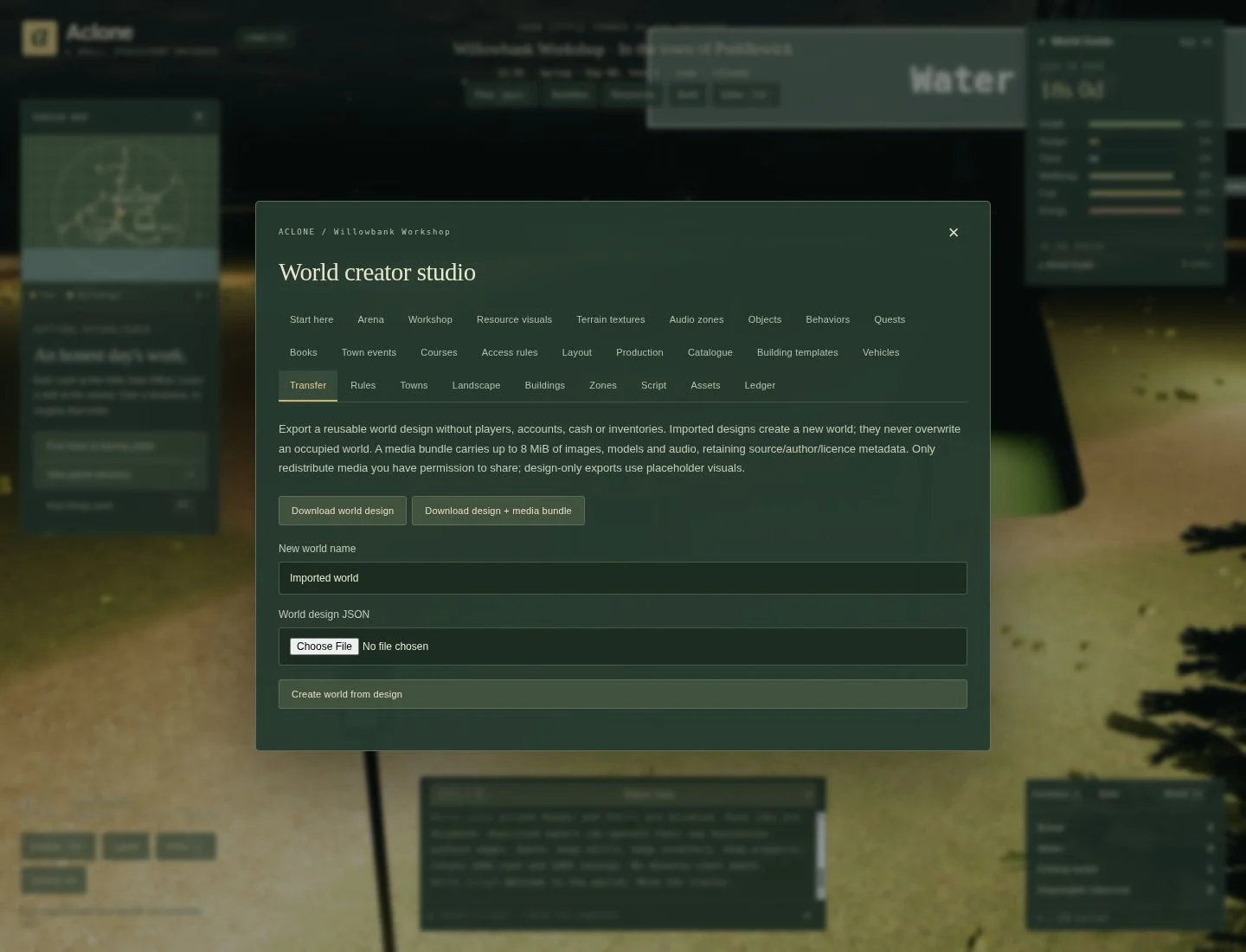
In Transfer, choose:
- Download world design: a small design file for rules, terrain, models, objects, behaviors, scripts, building layouts and economic definitions.
- Export design + media: also includes validated media and credits, within an 8 MiB media budget. Use this for an artwork-based world you intend others to host.
- Create world from design: imports into a separate world, not over the world you are standing in. Test an exported copy before distributing it.
Designs do not contain player accounts, chat, cash, inventories, business stock or investment, saved quest progress, course funds/scores, or script variables. A plain design file also does not carry uploaded media; expect placeholders until assets are reassigned. This is a reusable world design, not a full server-save backup. For disaster recovery, use the host's database/assets backup procedure.
Share the world name and its host with players; they can find it in that host's galaxy directory. Share an exported bundle with other world builders only when you have permission to redistribute its artwork and audio. Keep the example small, watch people play, then expand the parts they enjoy.
Troubleshooting
- I cannot edit: create your own world or check caretaker authority. Owning a cottage or being a town mayor does not automatically grant world editing rights.
- The model is saved but invisible: save an Objects instance or assign the model to a building/vehicle; confirm visibility, coordinates and scale.
- The tree does nothing: check the behavior's target, enabled state, item/team requirements, distance, cargo space and cooldown. The model name and instance name are separate.
- A path says it needs two points: mark at least two points in the current Landscape session; do not rely on an old text draft after switching tabs.
- The object looks solid but I drive through it: check its solid flag and collision radius/bounds. Appearance alone is not collision.
- My factory does not produce: check skill, active crew, work rules, investment, input stock, output capacity and the batch interval before changing the recipe.
- Uploaded artwork is a placeholder: inspect file size/format and Workshop assignment; use a self-contained GLB or supported OBJ plus texture, not external URLs.
- The imported world is empty of money and stock: that is intentional for design imports. Configure starting play and supplies separately, or restore a host backup.
For the complete option inventory and current limits, see the creator reference. For suggestions or examples, use the community's world-building channel.
Automatic food and drink
In Editor → Rules → Automatic food and drink, configure autoConsumeInventory (eat carried supplies while signed off), autoConsumeInventoryOnline (also while signed in; follows the signed-off setting when unset), autoConsumeAlcohol (let automatic meals include beer and wine; off by default in every world), autoConsumeHomeStock (use the selected owned home or active private guest-room pantry while away), and homeNeedsMultiplier (0–1; 0 disables indoor drain, 1 gives no indoor benefit). Home stores always feed occupants automatically. Inventory and remote-home feeding default off for other worlds, preserving existing behavior. Puddlewick enables inventory feeding while signed off and remote-home feeding, keeps inventory feeding off while signed in, and uses a 0.8 indoor multiplier; later owner edits survive restarts.
Only a valid owned home or unexpired private booking is eligible. Public lodging/business stock and another owner’s supplies are excluded. Boat crew still use their captain’s provisions first; the normal captain rule for boat stores remains offline-only. Inventory feeding also applies to online captains when enabled. The at-home provisions estimate follows these settings and includes carried supplies when available.
Livestock grazing areas
Livestock barns receive a fenced pasture on suitable clear land. Animals wander, stop and graze. Owners buy adjoining pasture parcels in the livestock business controls before adding animals; expanded herds produce more goods and need more feed, water and workers. In Rules, configure pasture capacity and price multipliers. Clear space must remain around fields, roads, buildings and neighbouring pastures. Existing herds are preserved when old worlds upgrade.
Saved gathering grounds
Portable world designs preserve additional surveyed gathering grounds in additionalResources: stable extra- IDs, resource type (logs, stone, gravel or dirt), name, coordinates, capacity and replenishment interval. These supplement the existing generated grounds. Puddlewick’s public-world expansion is applied once on the server and saves the chosen locations; importing its design into another world retains those sites.
Procedural seabeds
Generated islands include a shallow southern bay, offshore shelves, basins and trenches. The original village, beaches and docking approaches retain their elevations. Custom heightmaps remain authoritative, and terrain brushes can still create islands or edit the seabed. Depth instruments and fishing use the same terrain and tide on the server and client; deeper water adds only a modest catch-rate advantage. Map water colours distinguish depths above and below 100 metres.
Add fresh water to the landscape
In Rules → Springs and water production, tune the first survey, free drinking,
source flow and pump-house recipes. Existing surveys stay fixed. In Springs,
place a spring-… source at your current coordinates or edit a saved source's
position and flow. Try a short hiking route between springs, then build a
pump-house nearby to make Water for sale. Deleting a claimed spring pauses its
pump. A desalination plant belongs on an ocean coast; a pump-house belongs on
fresh water. Portable world designs preserve the sources and their claimed
intakes. See the full settings.
Raise livestock and cook local meals
Use Rules → Livestock life cycle to set how young animals grow, how much care and space they need, and whether farms can breed continuously. Place a dairy, sheepfold, pig farm or henhouse with usable pasture. Young are smaller in the world and grow only with healthy farm care; their progress survives hauling and saved designs.
Add a butcher from its five architectural models, leave room at the loading ramp and fund qualified staff. Its owner can set service fees and a counter menu. Add a kitchen or restaurant to turn raw meat into meals, or enable slower private cooking inside homes and booked inn rooms. Rules → Butcher and cooking controls fees, yields, service and home times, spoilage, raw-edibility and feature switches. Existing catalogue and recipe tools set prices, ingredients and wages. See the detailed rule reference and player flow.
Size ships and choose safe berths
The coastal freighter's Vehicles controls include length, beam, draft and freeboard. Its built-in size is 60 × 16.8 m; changing the hull does not enlarge people or individual pallets. In Rules → Boat navigation, set quay vessel limits and the extra seaward berth search. A search of zero keeps the first outside position. Every part of the ship must still clear the seabed and obstacles; raising a size limit cannot make shallow water safe.
Player-built bridge rules
F10 → Rules → Player-built bridges controls new construction, public/owner-only access, explicit passage tolls, single-/two-lane clear widths, span and ramp limits, high-water clearance, grade, foundation rise/length and deck thickness. Single-lane width cannot exceed two-lane width; the maximum span must fit both bank seats. Funded designs keep their original geometry and bill when these values change.
Costs are calculated once from main-span area and additional approach length. Every cash/material rate, founding deposit, world/project limit and office reach is editable. Defaults price an 8 × 40 m main span at 800s plus 600 Steel, 200 Wood, 1,000 Gravel and 400 Stone, before approaches. Zero material/cash rates are valid; no automatically generated bridge bypasses the funding process. Public/free completed crossings participate in road routing; private, tolled, unfinished or unsafe crossings do not. Existing roads cannot be obstructed by new bridge sites.
Maintenance controls cover wear per economic day (zero disables wear), minimum entry condition, repair condition, cash, Steel and reference area. Access changes and closure preserve physical decks so travellers can leave. Terrain/water/solid obstacle edits trigger bounded safety inspections; restore unsafe ground or remove an obstruction to reopen. Imported designs validate saved ramps, contributions, clearance and placement atomically, retain unfinished funding and economic ages, and remap ownership/contribution totals to the importing world owner. Private player passage permits and survey quotes are not exported.
Boat catalogue air draft is the height above water used to test bridge clearance; tune it with the model rather than lowering it to pass through a deck. Defaults include 9.1 m for the fishing boat and 8.5 m for the enlarged cargo boat; new bridges default to 10 m high-water clearance. Canoes also expose their air draft in world rules. Existing saved bridge decks never silently move when boat or bridge design rules change.